
To change the DNS name server for a specific domain you will need to follow the below steps.
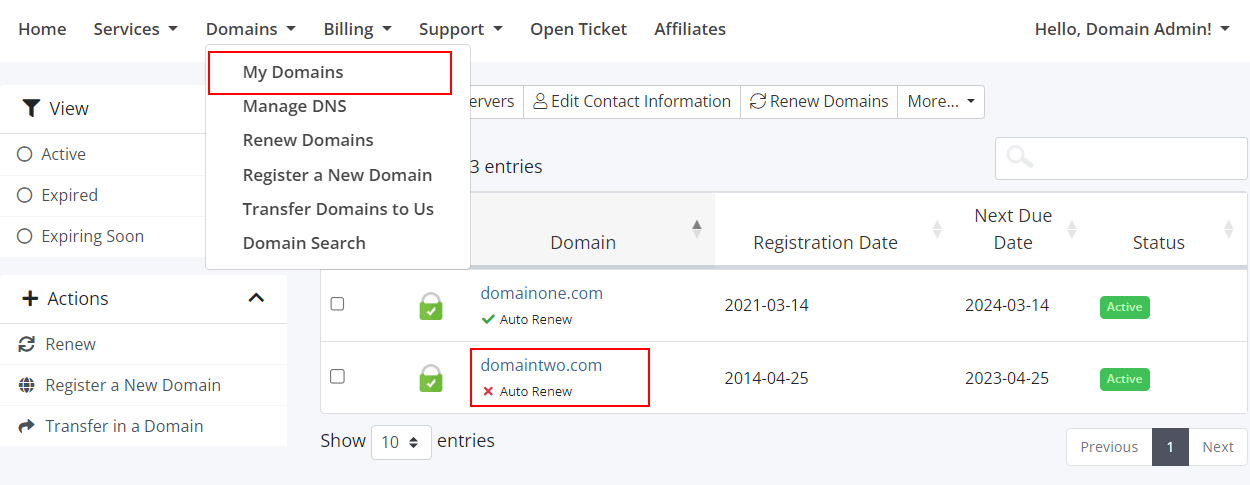
For domains that you register with us, you can make changes from our client area. Please log in and choose My Domains and select your required domain.
Then you can click Nameserver. Choose Use custom nameservers (enter below) then fill in the required nameservers or simplify use our default nameservers
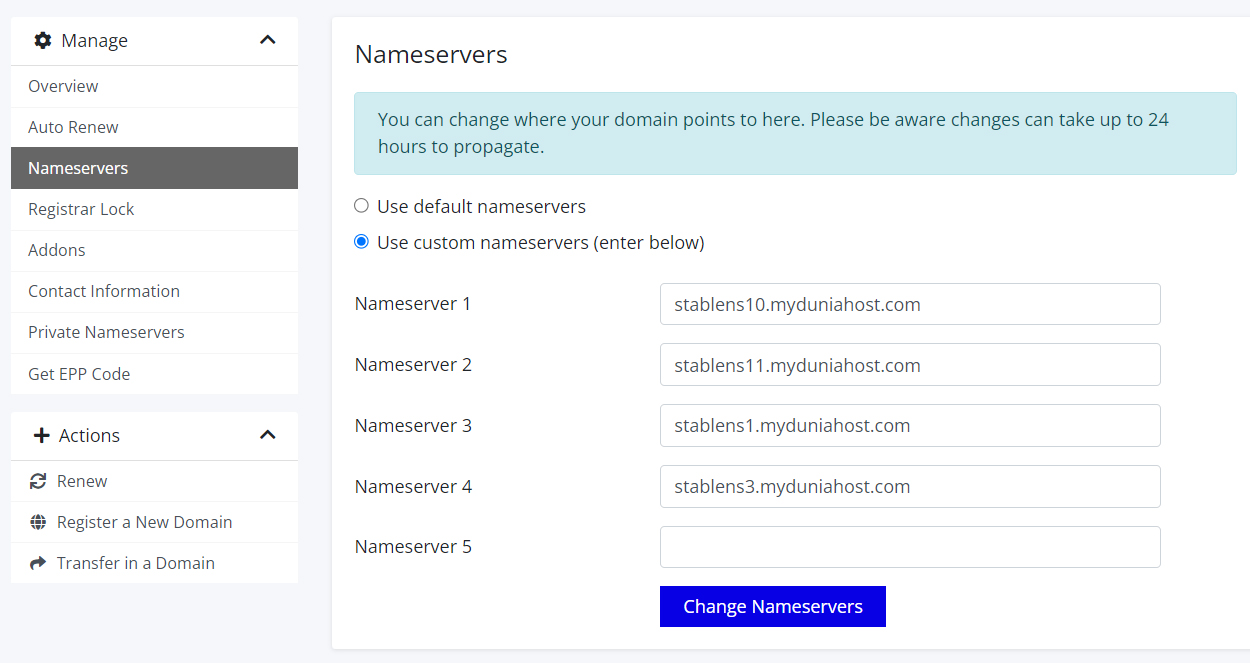
Please note this only can be done with TLDs. For the MYNIC domain, you need to change it in the MYNIC portal.